
Create
Drop in a recording, a PDF or a MusicXML file. Artitura hears the harmony and the song form and engraves a Smart Chart you can edit right away.

The smart workspace for musicians.


How it works
One Smart Chart carries the song from the first upload to the last encore.
Drop in a recording, a PDF or a MusicXML file. Artitura hears the harmony and the song form and engraves a Smart Chart you can edit right away.

Fix a chord, split a bar, box a section. Build the setlist, share it with the band, and every member opens the same order in the same keys.
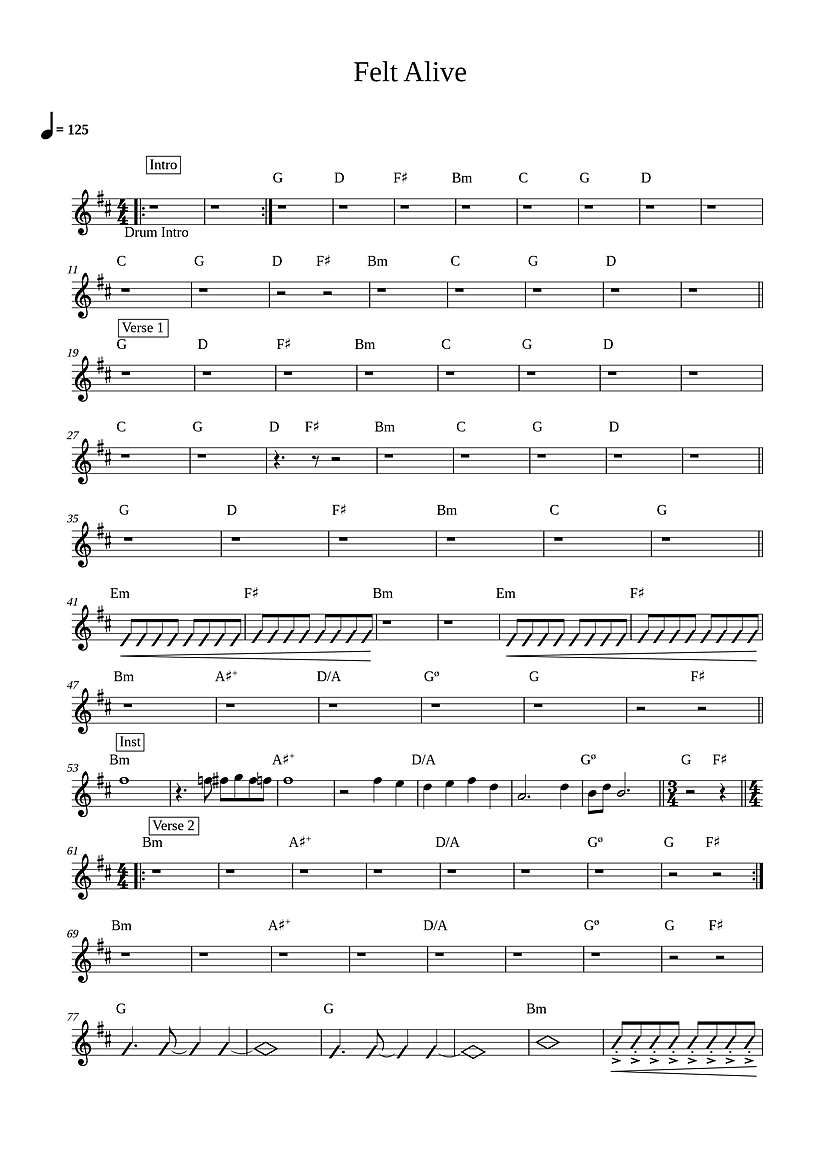
Open the setlist on the iPad. The Smart Chart fills the screen, turns pages by touch and changes key in a tap. Offline, on the stand.
Every device
Edit on the laptop, the tablet or the phone. Every change is everywhere.


PDF vs. Smart Chart
Drag the handle. Left, the flat PDF. Right, the same page, live and editable.
 Smart Chart
 PDF
PDF
Pricing
Pilot pricing, 20% off, billed monthly. All prices in ILS and include VAT. Cancel anytime.
Experience the new way to work with charts.
₪0
For musicians who play, rehearse and perform.
₪49₪39/ per month
For those who create, share and lead the music.
₪99₪79/ per month
For studios and teams who manage people, projects and permissions.
₪199₪159/ per month
All prices in ILS, cancel anytime.
Audio, PDF and MusicXML. A PDF is read by our recognition engine and rebuilt as a Smart Chart, not just displayed.
Yes. Structure, harmony and chords come back already engraved and laid out, ready to edit.
Yes, mid-rehearsal. The Smart Chart re-engraves with correctly spelled chords, and your edits stay anchored to the bar.
Yes. Charts live on the device; offline edits sync when you reconnect.
Phone, tablet and desktop, in the browser. It also installs to the home screen like an app.
From the Producer plan up: one shared setlist, synced to every member in real time.
A PDF app shows a file. A Smart Chart is editable while you rehearse, and the change reaches every player.
Not yet. Only PDFs exported from notation software.
Yours alone. We never share it without your consent.
Upload one song. See it on the stand tonight.
3 free analyses · No credit card required